

http 인증이 완료 되었다면 곧 인증서파일이 메일로 오게된다.
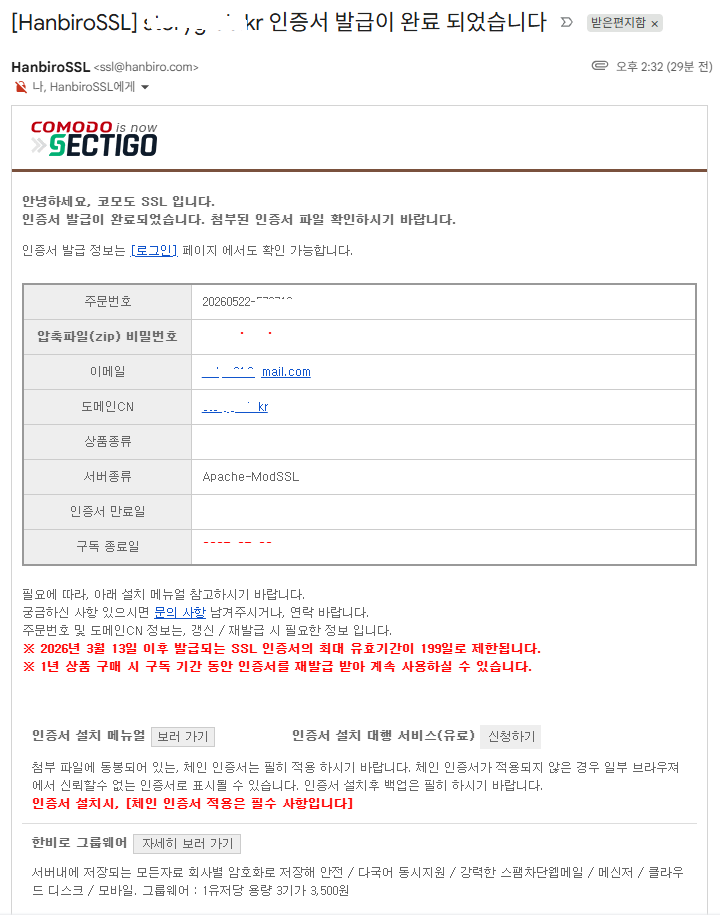
첨부된 파일을 다운받아 보면 아래와 같은 파일들 이다
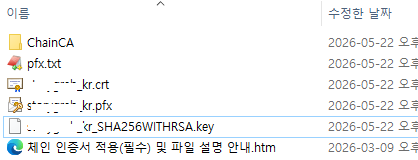
이제 이 파일들을 nginx 에 적용해 보자
가. 인증서 파일 업로드
필자는 /home/SSL/ 폴더에 파일을 모두 업로드 하였다
# pwd
/home/SSL
# ll
total 44
-rw-r--r-- 1 root root 2244 May 22 14:53 ChainCA1.crt
-rw-r--r-- 1 root root 2341 May 22 14:53 ChainCA2.crt
-rw-r--r-- 1 root root 6679 May 22 14:53 Chain_RootCA_Bundle.crt
-rw-r--r-- 1 root root 2126 May 22 14:53 RootCA.crt
-rw-r--r-- 1 root root 2190 May 22 14:53 your_domain_kr.crt
-rw-r--r-- 1 root root 8289 May 22 14:53 your_domain_kr.pfx
-rw-r--r-- 1 root root 1702 May 22 14:53 your_domain_kr_SHA256WITHRSA.key
나. nginx 환경 설정
vi /etc/nginx/nginx.conf
-------------------------------
server {
        listen       443 ssl http2 default_server;
        listen       [::]:443 ssl http2 default_server;
        server_name  your_domain.kr;
        root         /home/web/front;

        ssl_certificate "/home/SSL/your_domain_kr.crt";
        ssl_certificate_key "/home/SSL/your_domain_SHA256WITHRSA.key";

        ssl_session_cache shared:SSL:1m;
        ssl_session_timeout  10m;
        ssl_ciphers PROFILE=SYSTEM;
        ssl_prefer_server_ciphers on;

        location / {
            try_files $uri /index.html;
	    }
 }
 -------------------------------
다. nginx 재시작
# systemctl start nginx.service
라. 확인
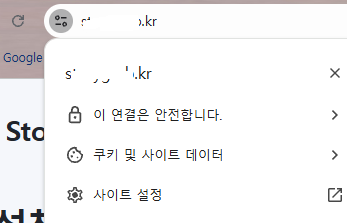
https://~~ 로 접속해보면 아래와 같이 안전한 사이트로 표시된다
'🖥️IT지식 > 기타 설치 설정' 카테고리의 다른 글
| MSI DGX EdgeXpert Seris 재설정 - 2 (0) | 2026.05.27 |
|---|---|
| MSI DGX EdgeXpert Seris 재설정 - 1 (0) | 2026.05.27 |
| nginx 에서 SSL http 인증 (0) | 2026.05.22 |
| 티스토리 개인 도메인 연결방법 (0) | 2026.05.19 |
| WSL 로 Rocky10 설치 (0) | 2026.05.13 |